
User manual for the FOXTEL iQ set-top box covering setup, remote control, recording, on-demand, and troubleshooting.
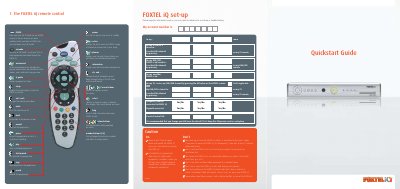
This manual provides instructions for setting up and using the FOXTEL iQ set-top box. It covers initial installation, ventilation requirements, remote control functions, and personalising settings such as parental control PIN and favourite channels.
Key features include pausing and rewinding live TV, recording up to two programmes simultaneously while watching a pre-recorded show, series linking, remote recording via the Foxtel website, accessing on-demand content and active services like weather and news, and troubleshooting common issues such as recording clashes and missing programme segments.
| Ventilation clearance | At least 10 cm above and around the unit |
|---|---|
| Default parental control PIN | 1234 |
| Maximum favourite channels | 50 |
| Simultaneous recordings | Up to two programmes while watching a pre-recorded programme |
You can either cancel the suggested recording to record the new selection, or cancel the new selection and keep the previous recordings. You cannot watch a third live channel while two programmes are recording, but you can watch previously recorded or on-demand programmes.
Programme schedules may change or live broadcasts may run over time. Use the Manual Record feature to add extra time before or after the programme, or add an extra 20 minutes to the end via the planner.
Press the Setup button on the remote, select System Setup then Parental Control, and follow the prompts to change the default PIN (1234) and set viewing restrictions by classification.