
User manual for FR-W1 fingerprint reader access control system covering installation, user enrollment, verification, deletion, and system settings.
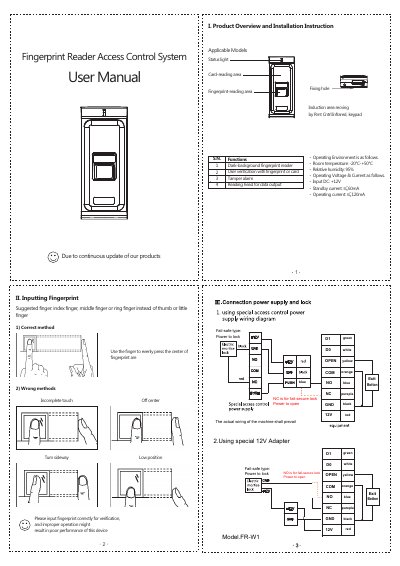
This document provides step-by-step instructions for installing and operating the FR-W1 fingerprint reader access control system. It covers user enrollment via fingerprint or card, verification methods, user deletion, and system configuration including time settings and administrator management. The device operates on 12V DC and requires specific wiring for fail-safe operation.
| Operating Voltage | 12V DC |
|---|---|
| Standby Current | ≤60mA |
| Operating Current | ≤120mA |
| Operating Temperature | -20°C to +50°C |
| Relative Humidity | 95% |
Enter administrator password, then input employee ID and register via fingerprint or password.
The device emits a long beep and the blue light blinks once.
Enter administrator password, press [*2], enter employee ID, and confirm deletion with a long beep and blue light blink.
Enter administrator password, press [*90#] for menu initialization or [*91#] for system initialization.