
Extech DO210 user guide: setup, calibration, dissolved oxygen, oxygen in air and temperature measurements, settings, probe care and specifications.
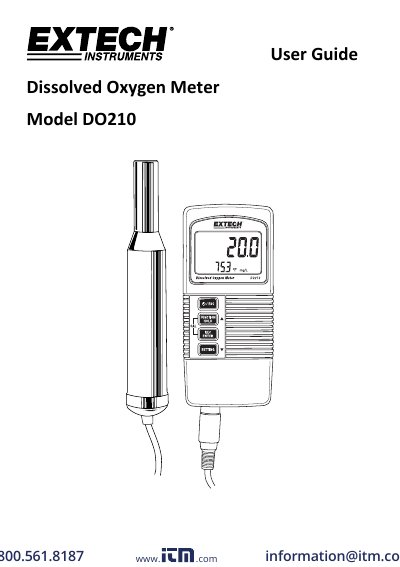
The Extech DO210 is a handheld Dissolved Oxygen / Temperature Meter that simultaneously displays dissolved oxygen and temperature, or oxygen in air and temperature. Units of measure are mg/L for dissolved oxygen, % for oxygen in air and °C/°F for temperature. Oxygen is measured with a remote polarographic sensor that also contains a thermistor for air temperature, and the meter includes altitude and % salt compensation, data hold, auto power off and Min/Max recording.
This user guide explains how to fill the electrolyte container, calibrate the instrument in open air, take dissolved oxygen, oxygen-in-air and temperature measurements, use data hold and Min/Max recording, and work through the settings mode (altitude, % salt, temperature units, auto power off). It also covers 9V battery replacement, probe head replacement and the meter's general and electrical specifications.
| Dissolved Oxygen range | 0.0 - 20.0 mg/L |
|---|---|
| Oxygen in air range | 0 - 100% O2 |
| Temperature range | 0 to 50 °C (32 to 122 °F) |
| Sensor structure | Remote polarographic dissolved oxygen sensor; precision thermistor temperature sensor |
| Battery power | 9V alkaline battery |
| Auto power off | Meter turns off after 10 minutes (can be disabled) |
| Weight | 446 g (0.98 lbs.) including batteries and probe |
| Dimensions | Main instrument 135 x 60 x 33 mm; probe 190 x 28 mm |
| Altitude compensation range | 0 to 3900 meters |
| Salt compensation range | 0 to 39% salt (%weight) |
Connect the oxygen probe, switch the meter on and let the upper display stabilize for about 3 minutes; press HOLD, then REC, and the meter counts down from 30 to zero and shows a value of approximately 20.9 or 20.8. Calibrate in an open, well-ventilated area.
It uses a 9V alkaline battery, replaced through the rear battery compartment secured by two Phillips head screws.
Immerse the probe to a depth of at least 4" (10 cm) for optimum automatic temperature compensation.
When auto power off is enabled, the meter switches off after 10 minutes of inactivity; it can also be disabled in the settings mode.