
User guide for the ELMO P10 document camera, featuring 1.49MP CMOS sensor, 16x optical zoom, and educational presentation tools.
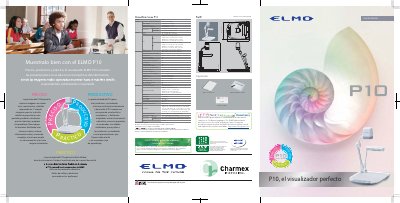
The ELMO P10 is a document camera designed for educational use, offering a 1.49 megapixel CMOS sensor, 16x optical zoom, and 8x digital zoom for up to 128x magnification. It supports features like highlighting, masking, and picture-in-picture for interactive classroom presentations. The device connects via USB, VGA, and DVI-D, and includes software Image Mate for annotation and video capture. Its adjustable arm and LED lighting make it easy to use in various classroom settings.
The P10 is compatible with ELMO’s wireless tablet, projectors, and PCs, allowing teachers and students to create dynamic, engaging presentations. It can capture still images, video, and even science experiments in high detail, with options to save images to SD cards or transfer them to a computer. This manual is written in Spanish.
| Sensor | 1/3" CMOS |
|---|---|
| Resolution | 1,384 (H) x 1,076 (V) pixels |
| Optical Zoom | 16x |
| Maximum Magnification | 128x |
| Frame Rate | 30 fps (max) |
| Video Output | 500 (H) lines of TV or more |
| VGA Output | 800 (H) lines of TV or more |
| Power Supply | 12V DC (AC 100–240V, 50/60 Hz) |
| Dimensions (unfolded) | 377 x 482 x 613 mm |
| Dimensions (folded) | 377 x 482 x 196 mm |
The ELMO P10 can magnify images up to 128x using its 16x optical zoom combined with 8x digital zoom.
The P10 supports a maximum frame rate of 30 fps, which is smooth enough to appear as video to the human eye.
The P10 has DVI-D, VGA analog, and RGB output connections for versatile display options.
Yes, the P10 supports SD card storage for images and data, and is compatible with SDHC cards.