
This document introduces the basic operation and use of the Elmo Digital Presenter
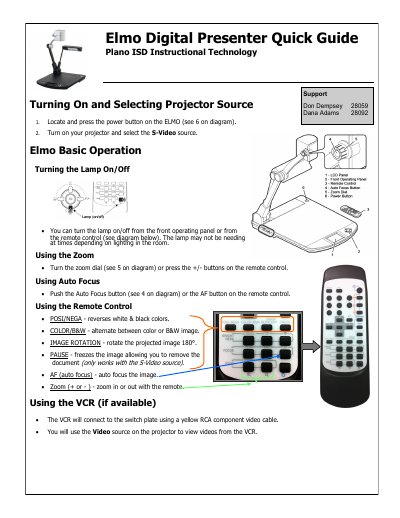
This document serves as a quick guide for the Elmo Digital Presenter. It provides instructions on turning the device on and selecting projector sources, including how to operate the lamp, adjust zoom, and use the auto-focus feature via the front panel or remote control.
The guide also details the setup and usage of the accompanying Elmo ImageMate software. It explains how to install the driver from the App Depot and describes features such as live image viewing, still capture, drawing tools, and full-screen mode.
You can turn the lamp on/off from the front operating panel or from the remote control.
Turn the zoom dial or press the +/- buttons on the remote control.
It reverses white and black colors in the projected image.