
Quick guide for the ELCO ELKM3 temperature controller covering operation, parameters, alarms, configuration codes, wiring, and mounting.
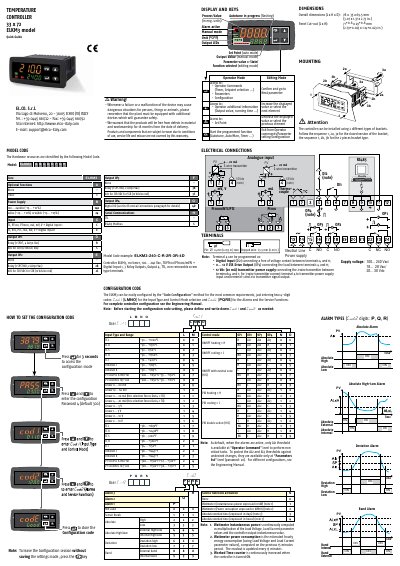
This quick guide describes the ELCO ELKM3 temperature controller, including its display and keys, electrical connections, mounting, model code, and configuration code method.
It also covers parameter setting, controller operation, function selection, and the parameters list for configuring inputs, control modes, alarms, and service functions.
| Supply voltage | 100...240 V ac / 18...28 V ac / 20...30 V dc |
|---|---|
| Overall dimensions | 78 x 35 x 69.5 mm |
| Panel cut-out | 71+0.6 x 29+0.6 mm |
| Stripped wire length | 5.5 mm max. |
Press the key for 3 seconds to access configuration mode.
The default configuration password is 300.
The default parameters password is 20.
SmartTUNE is a fast, fully automatic procedure that selects the best tune method and computes optimum PID parameters.