
Quick Start Guide for the EIKI EK-700LU series projector, covering the remote control, input selection, connection terminals and EIKI worldwide contacts.
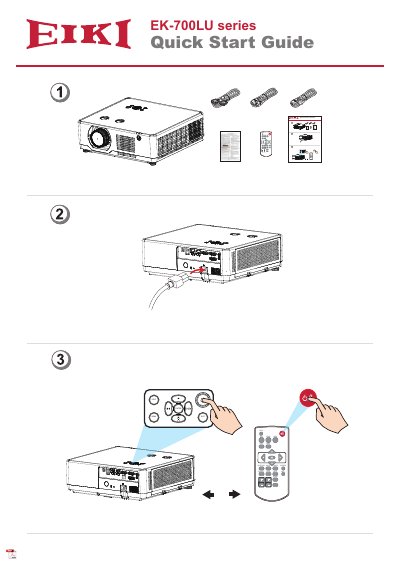
This document is the Quick Start Guide for the EIKI EK-700LU series projector. It shows the remote control layout with buttons such as MENU, INPUT, EXIT, ENTER, VGA, VIDEO, HDMI, FREEZE, MUTE, BLANK, LAMP, PATTERN, KEYSTONE, TIMER, INFO., SCREEN, IMAGE, AUTO, D.ZOOM and VOLUME, and lists the available input sources: VGA, HDMI 1, HDMI 2, Memory Viewer, Network and USB Display.
The guide also illustrates the projector's connection panel, including VGA IN/OUT, HDMI 1 and HDMI 2, LAN, USB-A (5V/2.5A), USB-B, RS-232C, AUDIO IN and AUDIO OUT terminals. The final page lists EIKI sales and service contact addresses in the U.S.A./Canada, Germany/Austria, South East Asia, Japan, China, Eastern Europe and Oceania.
| USB-A power output | 5V/2.5A |
|---|---|
| Input terminals | VGA IN, HDMI 1, HDMI 2, LAN, USB-A, USB-B, RS-232C, AUDIO IN |
| Output terminals | VGA OUT, AUDIO OUT |
| Input sources | VGA, HDMI 1, HDMI 2, Memory Viewer, Network, USB Display |
The projector offers VGA, HDMI 1, HDMI 2, Memory Viewer, Network and USB Display as input sources.
The USB-A terminal supplies 5V at 2.5A.
Yes, the connection panel includes an RS-232C terminal alongside VGA, HDMI, LAN, USB and audio terminals.
The guide lists EIKI contacts in the U.S.A./Canada, Germany/Austria, South East Asia, Japan, China, Eastern Europe and Oceania, including a service hotline in China at +86 21-3251-3995.