
This quick installation guide covers setup steps, cable connections, and configuration for Digitus DN-16083 and DN-16084 surveillance cameras.
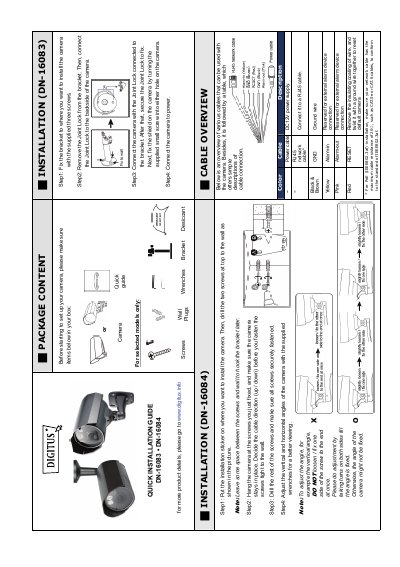
This guide provides installation instructions for the Digitus DN-16083 and DN-16084 cameras, including mounting the bracket, connecting power and network cables, and adjusting the focal length and focus for the DN-16083 model. It details the package contents and specific steps for securing the device to a wall. This manual is written in Chinese.
| Power Supply | DC12V |
|---|---|
| Network Cable | RJ45 |
| PoE Resistance | 20 Ω |
| Operating Temperature | 0˚C ~ 40 ˚C |
The appropriate temperature for focus adjustment is 0˚C ~ 40 ˚C.
No, only the DN-16083 model is equipped with a Micro SD card slot.
Remove the insulating coating of the wire and twist it with a ground wire together.