
DIGITUS DA-70434 mounting frame kit manual: install up to two 2.5" HDD/SSD drives in a 3.5" bay, with screws, SATA cables and Y-power cables.
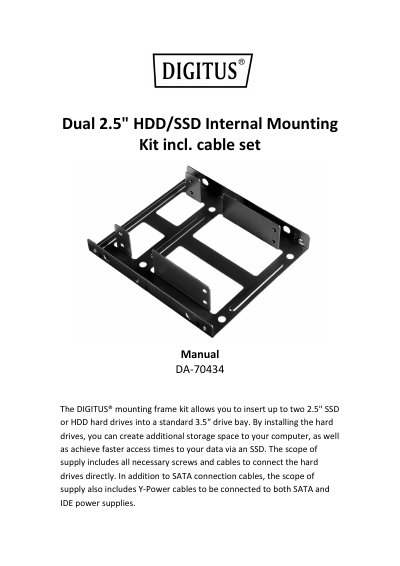
This manual covers the DIGITUS DA-70434 Dual 2.5" HDD/SSD Internal Mounting Kit. The mounting frame lets you insert up to two 2.5" SSD or HDD drives into a standard 3.5" drive bay, adding storage space to a computer and, with an SSD, faster access times to data. The scope of supply includes the screws and cables needed to connect the drives directly, including SATA connection cables and Y-power cables for both SATA and IDE power supplies.
The document lists the kit's features, its dimensions (102 x 115 x 24 mm) and weight (153 g), and gives a ten-step mounting procedure: switching off the PC and unplugging the mains cable, sliding the drives into the frame with the circuit boards facing downwards, fitting the frame into a free 3.5" slot, fixing it with the big screw on the outer housing side, and connecting data and power cables before closing the housing. A declaration of conformity from Assmann Electronic GmbH is part of the shipping content.
| Supported drives | Up to two 2.5" SSD or HDD drives in one 3.5" drive bay |
|---|---|
| Product dimensions | 102 x 115 x 24 mm |
| Product weight | 153 g |
| Material | Metal design for better heat dissipation of the HDD |
| Included cables | SATA connection cables and SATA power adapters |
| Power cables | Y-power cables for SATA and IDE power supplies |
| Included hardware | Screw pack for mounting the drives |
It holds up to two 2.5" SSD or HDD hard drives, which are fitted together into one standard 3.5" drive bay.
The package includes all necessary screws and cables to connect the hard drives directly, including SATA connection cables and Y-power cables for SATA and IDE power supplies.
The product measures 102 x 115 x 24 mm and weighs 153 g.
Switch off the PC and unplug the mains cable before opening the housing.