
This Denon DHT-S716H Quick Start Guide explains unpacking, placement, wired and wireless connections, HEOS app setup, Bluetooth pairing, and basic…
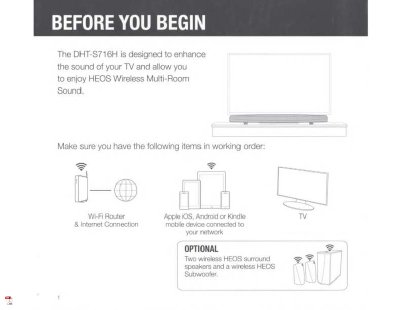
The Denon DHT-S716H is a sound bar designed to enhance TV sound and work with HEOS Wireless Multi-Room Sound. This Quick Start Guide helps users unpack, place, connect, and set up the system using the HEOS app on an iOS, Android, or Kindle device.
It covers power and network connections, optional wired Ethernet setup, Bluetooth pairing, and WPS connection. The document also includes basic troubleshooting for network and Bluetooth issues, plus limited warranty information for Denon Electronics (USA), LLC products in the U.S.A.
Connect the included Ethernet cable between the DHT-S716H and your router.
Press and hold the Connect and Bluetooth buttons on the device for 5 seconds until the front LED flashes amber.
Make sure your mobile device is connected to your wireless network before setting up the HEOS device.