
Key facts
- Brand
- Denon
- Model
- DHT-S716H
- Category
- Home Speakers
- Industry
- Electronics
- Documents
- 2
- Languages
- EN
- Last added
- 2026-11-17
Start here
Denon DHT-S716H Sound Bar Quick Start Guide
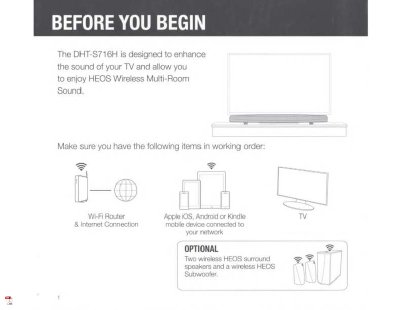
The Denon DHT-S716H is a sound bar designed to enhance TV sound and work with HEOS Wireless Multi-Room Sound. This Quick Start Guide helps users unpack, place, connect, and set up the system using the HEOS app on an iOS, Android, or Kindle device.
It covers power and network connections, optional wired Ethernet setup, Bluetooth pairing, and WPS connection. The document also includes basic troubleshooting for network and Bluetooth issues, plus limited warranty information for Denon Electronics (USA), LLC products in the U.S.A.
Denon DHT-S716H specifications
| Dimensions (on the shelf) | 72 x 1100 x 148 mm |
|---|---|
| Dimensions (wall mount) | 148 x 1100 x 72 mm |
| Weight | 4.8 kg |
| Power Supply | 100 – 240 Volts AC, 50/60 Hz |
| HDMI Inputs | 4 (ver. 2.0a / HDCP 2.2, HDR and Dolby Vision) |
| Optical Input | 1 |
| HDMI Output | 1 (Supports ARC) |
| Bluetooth Enabled | Yes |
| Wireless Subwoofer Connectivity | Yes |
All Denon DHT-S716H documents by type
The shortest path to a working setup, usually only a few pages.
Questions answered in these manuals
How do I connect the DHT-S716H to a wired network?
Connect the included Ethernet cable between the DHT-S716H and your router.
How do I reset the HEOS device?
Press and hold the Connect and Bluetooth buttons on the device for 5 seconds until the front LED flashes amber.
Does the DHT-S716H work with Amazon Alexa?
Yes. Activate the free HEOS Home Entertainment Skill and use your Amazon Alexa device to adjust volume, skip tracks, and control other soundbar functions.
Which music services does HEOS Built-in support?
HEOS Built-in supports Spotify (free and Premium), Amazon Music, TIDAL, TuneIn Internet Radio, SoundCloud, Napster, Deezer, and local music file libraries.