
User manual for the Delta DX-2100L1 industrial 4G cloud router, covering setup, features, and DIACloud management.
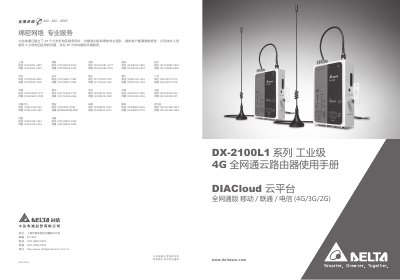
The Delta DX-2100L1 is an industrial‑grade 4G router that supports LTE‑FDD, LTE‑TDD and backward‑compatible 3G/2G networks. It provides Ethernet, dual serial ports (RS232/RS485), SD card slot and Mini‑SIM for versatile connectivity.
The manual explains the web‑based UI, network configuration, firewall settings, system utilities, and how to use the DIACloud platform and mobile app for remote monitoring, firmware upgrades, and device management. This manual is written in Chinese.
| Supported LTE bands | LTE‑FDD (B1/B3) and FDD‑TDD (B38/B39/B40/B41) |
|---|---|
| Backward‑compatible 3G/2G networks | WCDMA/TD‑SCDMA/CDMA 3G and GSM/GPRS/EDGE 2G |
| Interfaces | Ethernet LAN, RS232, RS485, SD card slot, Mini‑SIM slot |
| Authentication methods | CHAP, PAP, APN |
It supports CHAP and PAP authentication as well as APN access.
The firewall provides full‑state packet inspection, DoS protection, NAT, port trigger, port mapping, IP/MAC/URL filtering, DHCP server, dynamic DNS, static routing and DMZ.