
Cisco Webex Desk Pro D1543601 Quick Reference Guide

This quick reference guide provides instructions for ending calls, dialing, joining meetings, sharing screens, and using the whiteboard on the Cisco Webex…
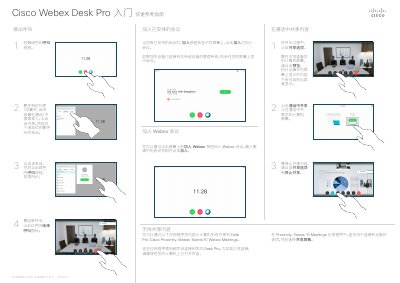

Cisco Webex Desk Pro D1543601 Quick Reference Guide - cover page
Brand
Cisco
Document type
Quick Start Guide
Language
Chinese
Pages
2
File format
PDF
File size
823 KB
Published
19 October, 2026
Updated
19 October, 2026
MD5 checksum
C2B677A92A20F7596F75CC346DB357D1

About this manual

The document serves as a quick reference guide for the Cisco Webex Desk Pro (Model D1543601 CE9.12). It details basic operations such as ending calls by clicking the red icon or dialing new numbers via the green button. Users can search specific lists like favorites, directory, or recent calls to initiate contact. This manual is written in Chinese.

What's inside

  • Ending Calls
  • Dialing and Searching
  • Joining Scheduled Meetings
  • Sharing Screen Content
  • Using Whiteboard
  • Call Forwarding and Do Not Disturb

Frequently asked questions

How do I end a call?

Click the red End Call icon.

What applications support wireless screen sharing?

Cisco Proximity, Webex Teams, and Webex Meetings use ultrasonic connection to share content wirelessly.

Download PDF (823 KB)

More Cisco Manuals


View all Cisco manuals →