
Instructions for connecting and configuring the MiniAction device via RS-422/485 using the Brainboxes US-324 adapter, including wiring and software settings.
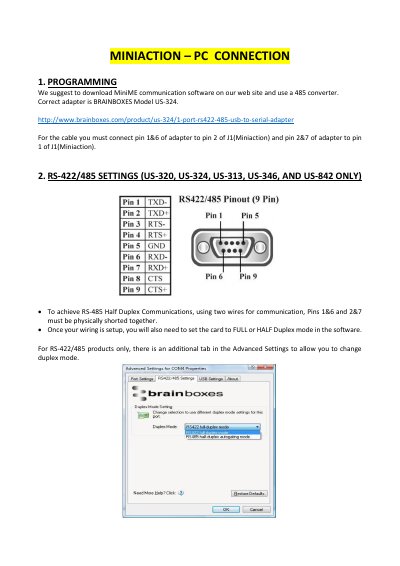
This guide explains how to connect the MiniAction device to a PC using the Brainboxes US-324 adapter. It details the physical wiring connections between the adapter pins and the MiniAction J1 connector, specifying which pins must be shorted for RS-485 half-duplex communication.
The correct adapter is the BRAINBOXES Model US-324.
The default setting is RS-422 full duplex mode.
You must select RS-485 half duplex autogating mode.