
This file is the Brainboxes Bluetooth Reset Manual, which introduces the reset function of the Bluetooth adapter
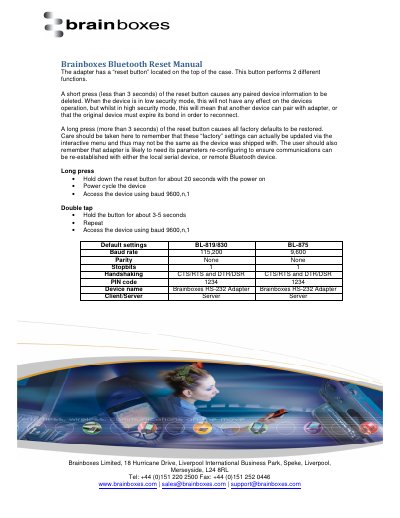
This manual explains how to reset the Brainboxes BL-819/830 BL-875 Bluetooth adapter. A short press deletes paired device info, while a long press restores factory defaults. Users must reconfigure settings after reset to ensure proper communication. Default settings are listed for baud rate, parity, stop bits, handshaking, PIN code, and device name, which vary by model.
| Baud Rate | 115,200 or 9,600 |
|---|---|
| Parity | None |
| Stopbits | 1 |
| Handshaking | CTS/RTS and DTR/DSR |
| PIN Code | 1234 |
| Device Name | Brainboxes RS-232 Adapter |
| Client/Server Mode | Server |
A short press deletes any paired device information.
A long press restores all factory defaults, which may differ from shipped settings.
Access using baud 9600,n,1 after power cycling and holding the button for 3-5 seconds.