
The Bosch CDR 900 User Manual provides installation, configuration, operation, and maintenance instructions for the vehicle data recovery device.
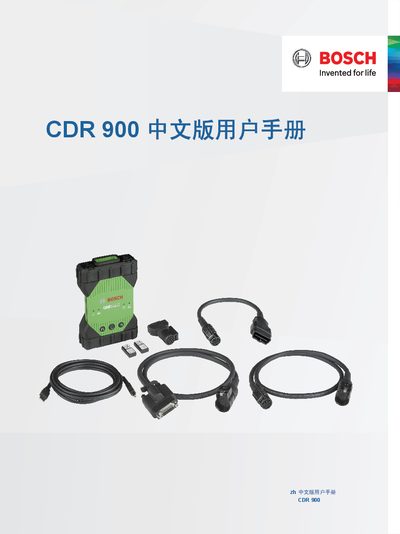
This manual describes the CDR 900, a Bosch vehicle‑accident data recovery tool designed for professional use. It covers safety warnings, hardware description, required PC system specifications, and supported communication interfaces such as USB, Ethernet, and WLAN.
Detailed sections guide users through initial setup, software installation, wireless adapter configuration, LED indicator meanings, troubleshooting steps, and warranty information, ensuring safe and effective operation of the device in accident investigation scenarios. This manual is written in Chinese.
| Processor | I.MX6 |
|---|---|
| CPU Clock Frequency | 800 MHz |
| SDRAM | 512 MB |
| DDR3 Memory | 64M x 32 |
| NAND Flash | 256 MB |
| USB High‑Speed Port | 480 Mbps |
| Ethernet | 10/100 Mbps |
| Dimensions | 1635 mm × 115 mm × 40 mm |
| Weight | 240 g |
| Operating Temperature | -20 °C to 70 °C |
The CDR 900 can communicate with a PC via a USB cable or a wireless LAN (WLAN) connection.
There are seven LEDs indicating vehicle communication, error status, PC host communication, power button, power‑on self‑test, and two unused functions.
The software requires Windows 7, 8 or 10 (32‑ or 64‑bit), at least 100 MB free disk space, 512 MB RAM, and a 1 GHz CPU.
The CDR 900 must be connected to a 12 V DC power source for installation, firmware recovery, wireless setup, and vehicle communication.