
Installation guide for the BIXOLON SRP-383 thermal receipt printer covering components, cable connection, paper roll installation, DIP switches, and self-test
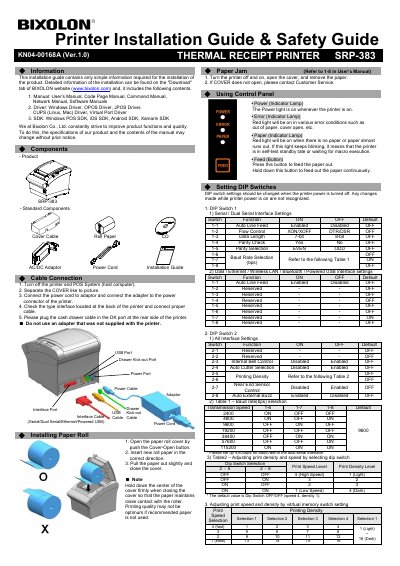
This installation guide provides the basic information needed to install the BIXOLON SRP-383 thermal receipt printer. It lists standard components and explains how to connect cables, install paper, and use the control panel.
The guide also covers DIP switch settings for serial and other interfaces, print speed and density adjustment, self-test mode, paper jam handling, and safety precautions.
| Interface types | Serial / Dual Serial / USB / Ethernet / Wireless LAN / Bluetooth / Powered USB |
|---|---|
| Baud rate selection | 2400, 4800, 9600, 19200, 38400, 57600, 115200 bps |
| Print density levels | 1 (Light) to 16 (Dark) |
| Auto Line Feed | Enabled / Disabled |
Open the paper roll cover, insert new roll paper in the correct direction, pull the paper out slightly, and close the cover.
Turn on the power while holding down the Feed button to begin the self-test procedure.
DIP switch settings should be changed when the printer power is turned off.