
Key facts
- Manuals
- 3
- Categories
- 1
- Languages
- ZH · KO · JA
- Last added
- 2012-03-12
Featured BIXOLON manuals
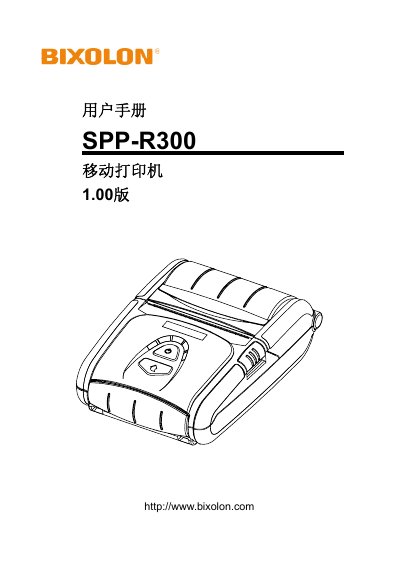
Bixolon SPP-R300 Mobile Printer User Manual
This manual covers all aspects of using the SPP‑R300 mobile printer, including a parts list, battery installation and charging, paper roll loading, optional accessories such as belts, cases, shoulder straps and car‑cigarette‑lighter chargers, and detailed instructions for the control panel and card‑reader functions. It also explains the label‑printing feature, Bluetooth and Wi‑Fi connectivity, external USB/Serial cable connections, and routine cleaning procedures.
Safety precautions are emphasized throughout, with specific warnings about battery handling, proper charger use, temperature limits, and storage. The appendix provides full technical specifications, certification information, and supported label types. This manual is written in Chinese.
Covers: Contents · Product Parts · Installation and Use · Battery Installation & Charging · Paper Roll Installation · Control Panel Operation
Samsung SRP-370 Thermal Printer User Manual
This manual explains safe handling of the SRP-370 thermal printer, including warnings about power connections, moisture, and proper use to avoid fire or electric shock. It also describes the printer’s main features such as high‑speed line printing, barcode support, and optional accessories.
Installation guidance covers unpacking, connector checks, connecting to a computer, cash drawer, and power supply. Subsequent sections detail basic operation, switch settings, memory switches, self‑test, and maintenance procedures such as cleaning the print head and replacing paper. This manual is written in Korean.
Covers: Safety Warnings · Printer Installation and Basic Use · Connector Overview · Switch Settings · Memory Switch Configuration · Self Test
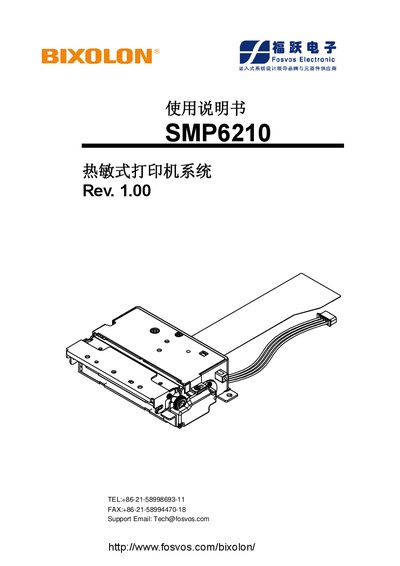
BIXOLON SMP6210 Service Manual
This manual provides detailed safety precautions, installation steps, and operating instructions for the BIXOLON SMP6210 label printer. It includes guidance on power connections, cutting blade handling, temperature management, and troubleshooting.
The document also outlines maintenance procedures, component specifications, and recommended practices to ensure reliable performance and longevity of the printer in industrial environments. This manual is written in Japanese.
Covers: Safety Precautions · Power Connection Sequence · Installation Guidelines · Cutting Blade Handling · Temperature Management · Operation Instructions
Latest BIXOLON manuals
Bixolon SPP-R300 Mobile Printer User Manual
User Manual 28 pages · 1.6 MB · ZHThe Bixolon SPP‑R300 mobile printer user manual provides safety guidelines, installation steps, battery handling, paper loading, control panel operation…
Samsung SRP-370 Thermal Printer User Manual
User Manual 87 pages · 5.5 MB · KOThe Samsung SRP-370 thermal printer user manual provides safety warnings, installation steps, operation instructions, and technical specifications.
BIXOLON SMP6210 Service Manual
Service Manual 67 pages · 5.7 MB · JAService manual for the BIXOLON SMP6210 label printer covering safety, installation, operation and maintenance.
Which document do I need?
User Manual
Day-to-day operation, settings and troubleshooting. Start here if the product is already set up.
Service Manual
Disassembly, diagnostics and part numbers, for repair.
Questions answered in BIXOLON manuals
How should the battery be charged?
Use only the charger supplied with the package; other chargers are prohibited.
What temperature ranges are allowed for charging, operation and storage?
Charging: 0 °C – 40 °C; operation: –20 °C – 60 °C; storage: –20 °C – 60 °C (30 days).
How do I connect the SRP-370 printer to a computer?
The printer provides a Parallel port by default; connect a parallel cable to the printer’s PARALLEL connector and the computer’s printer port, ensuring both devices are powered off during connection.
What is the printing speed of the SRP-370?
The printer can produce 47 lines per second in monochrome mode at 180 dpi (1/6" feed).
How should the power connections be made?
Connect Vdd first, then Vp; to disconnect, cut Vp before Vdd.
What is the recommended maximum ambient temperature for operation?
The printer is rated for a maximum ambient temperature of 25 °C.