
This quick start guide explains how to start runs, analyze results, and export data on the Applied Biosystems 7900HT qPCR instrument using SDS software.
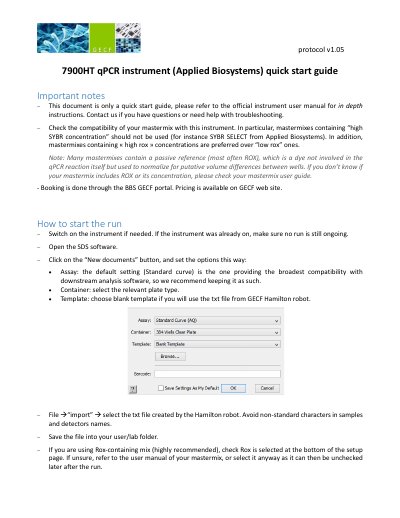
This document is a quick start guide for the Applied Biosystems 7900HT qPCR instrument. It explains how to switch on the instrument, open the SDS software, create a new document, select the plate type and template, import files from the Hamilton robot, and start a run.
After the run, the guide covers analyzing amplification plots, checking thresholds and baselines, reviewing melting curves for SYBR green, detecting issues with the QC summary, exporting data to text files, and performing absolute or relative quantification including delta delta Ct.
| Reaction volume for 384-well plate | 10ul |
|---|---|
| Reaction volume for 96-well plate | 15ul |
| SDS software platform | PC only |
| Detection channels | FAM/SYBR, rox, background |
No, mastermixes containing high SYBR concentration such as SYBR SELECT should not be used.
Use 10ul reaction volume for a 384-well plate assembled by the Hamilton robot.
No, do not perform the analysis while another run is ongoing.