
Key facts
- Manuals
- 3
- Languages
- EN
- Last added
- 2026-10-03
Featured Applied Biosystems manuals
Applied Biosystems GeneAmp PCR System 9700 Dual 96 Sample Block Module User Guide
This guide provides detailed instructions for using the Dual 96 Sample Block Module with the GeneAmp PCR System 9700. It is intended for both novice and experienced users who need to install, configure, and run the module safely.
The manual covers safety and EMC compliance, module overview, installation steps, sample‑tray configurations, loading procedures, cleaning, auto‑lid troubleshooting, and performance verification tests such as calibration and temperature uniformity.
Covers: Preface · Safety and EMC Compliance Information · Dual 96 Sample Block Module Overview · Installing the Dual 96 Sample Block Module · Maintaining the Sample Block Module · Testing the Dual 96 Sample Block Module
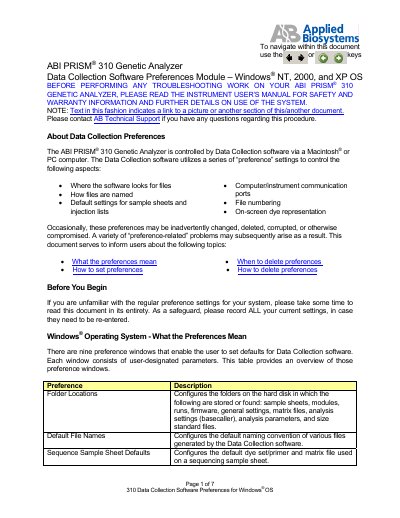
Applied Biosystems PRISM 310 Data Collection Software Preferences Guide for Windows
This document describes the nine preference windows used by the ABI PRISM 310 Data Collection software on Windows® operating systems. It explains what each preference controls—folder locations, default file names, sample‑sheet defaults, injection‑list defaults, communication ports, dye indicators, and collection information.
The guide provides step‑by‑step instructions for changing folder paths, setting default names, configuring dye colors, and deleting the preference file when it becomes corrupted. Contact information for Applied Biosystems technical support is also included.
Covers: About Data Collection Preferences · Windows® Operating System – What the Preferences Mean · Windows® Operating System – How to Set Preferences · Windows® Operating System – When to Delete Preferences · Windows® Operating System – How to Delete Preferences · Contacting AB Technical Support
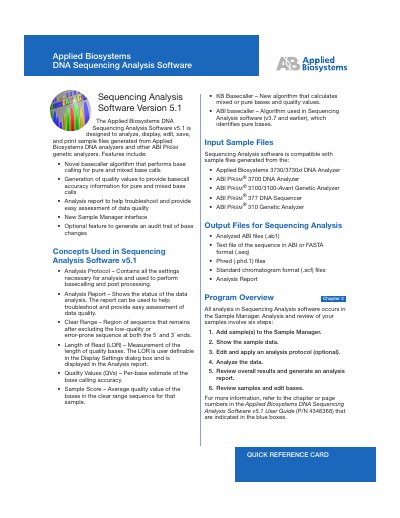
Applied Biosystems DNA Sequencing Analysis Software v5.1 Quick Reference Card
The Applied Biosystems DNA Sequencing Analysis Software v5.1 is a bio‑informatics tool for analyzing, displaying, editing, saving, and printing sample files generated by Applied Biosystems DNA analyzers. The quick reference card outlines the main features, supported input and output file types, and the six‑step workflow used in the Sample Manager.
Key steps include adding samples, viewing data, optionally editing an analysis protocol, running base‑calling and post‑processing, generating an analysis report, and reviewing or editing bases. Toolbar shortcuts and display settings for quality values are also summarized.
Covers: Features · Supported Analyzers · Input File Types · Output File Types · Sample Manager Overview · Analysis Protocol Editing
Latest Applied Biosystems manuals
Applied Biosystems GeneAmp PCR System 9700 Dual 96 Sample Block Module User Guide
User Manual 55 pages · 2.6 MB · ENUser guide with installation, operation, maintenance and safety information for the Applied Biosystems GeneAmp PCR System 9700 Dual 96 Sample Block Module.
Applied Biosystems PRISM 310 Data Collection Software Preferences Guide for Windows
User Manual 7 pages · 142 KB · ENGuide for setting, modifying, and deleting preference settings of the ABI PRISM 310 Genetic Analyzer Data Collection software on Windows OS.
Applied Biosystems DNA Sequencing Analysis Software v5.1 Quick Reference Card
Quick Start Guide 6 pages · 301 KB · ENQuick reference card for Applied Biosystems DNA Sequencing Analysis Software v5.1, covering features, file formats, and basic workflow.
Which document do I need?
User Manual
Day-to-day operation, settings and troubleshooting. Start here if the product is already set up.
Quick Start Guide
The shortest path to a working setup, usually only a few pages.
Questions answered in Applied Biosystems manuals
What safety alert words are used in this manual?
The guide uses the safety alert words IMPORTANT, CAUTION, WARNING and DANGER to indicate different hazard levels.
From: Applied Biosystems GeneAmp PCR System 9700 Dual 96 Sample Block Module User Guide
How can I obtain additional documentation for the GeneAmp PCR System 9700?
Additional documents are available on the Applied Biosystems website, via the Services and Support page, or on the CD shipped with the system.
From: Applied Biosystems GeneAmp PCR System 9700 Dual 96 Sample Block Module User Guide
How do I change a folder location for the Data Collection software?
Click the button for the folder you want to change, navigate to the desired folder in the dialog, and click “Select” to set the new path.
From: Applied Biosystems PRISM 310 Data Collection Software Preferences Guide for Windows
How can I delete the preference file if it becomes corrupted?
Locate the file named “preferences310” in the installation directory (e.g., D:\AppliedBio\310), drag it to the Recycle Bin, empty the bin, and restart the Data Collection software.
From: Applied Biosystems PRISM 310 Data Collection Software Preferences Guide for Windows
How do I start the analysis after loading samples?
Click the Start Analysis button (or press Ctrl+R) to begin base‑calling, post‑processing, and optional printing.
From: Applied Biosystems DNA Sequencing Analysis Software v5.1 Quick Reference Card
Can I edit the analysis protocol for a sample?
Yes, select the sample rows, choose Analysis > Analysis Protocol Manager, edit the desired tabs, and apply the protocol to selected or all samples.
From: Applied Biosystems DNA Sequencing Analysis Software v5.1 Quick Reference Card