
Analog Devices AD9239 evaluation board easy start guide for testing with the HSC-ADC-EVALCZ FIFO_GX kit using VisualAnalog and SPI Controller.
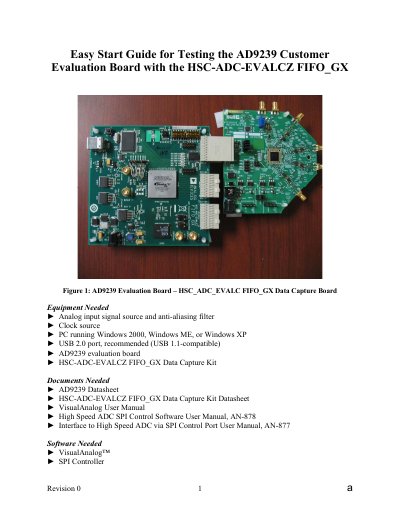
This Analog Devices AD9239 evaluation board easy start guide describes how to test the AD9239 customer evaluation board with the HSC-ADC-EVALCZ FIFO_GX data capture board. It lists the required equipment, documents, and software, including VisualAnalog and SPI Controller.
The guide walks through connecting the boards, providing clock and input signals, opening VisualAnalog, loading the SPI Controller configuration file, running the FFT, and saving results. It also includes troubleshooting steps for abnormal FFT plots, poor performance, blank windows, and chip ID errors.
VisualAnalog and SPI Controller software are required, and they should be installed before connecting the HSC-ADC-EVALCZ board to the PC.
Select “AD9239_12Bit_250MSspiR03.cfg” when SPI Controller prompts for a configuration file.
Make sure the evaluation board is securely connected to the HSC-ADC-EVALCZ board, then repeat steps 8 through 10.
The PC should run Windows 2000, Windows ME, or Windows XP.