
This guide provides instructions for updating the firmware on specific Alpine CD/USB receivers, including preparation, the upgrade process, and…
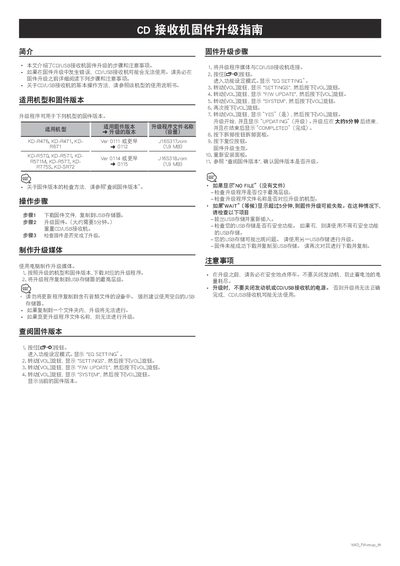
This document serves as a firmware update guide for a series of Alpine CD/USB receivers, specifically models KD-R476, KD-R471, KD-R671, KD-R570, KD-R571, KD-R571M, KD-R577, KD-R775S, and KD-SR72. It details the compatible firmware versions and the corresponding update files required for each model.
The guide outlines the step-by-step procedure for preparing the update media using a computer and a USB storage device, and the subsequent steps to perform the firmware upgrade on the receiver. It also includes instructions on how to check the current firmware version and provides important precautions, such as ensuring the engine remains running during the update to prevent battery drain. This manual is written in Chinese.
| Upgrade Time | Approximately 5 minutes |
|---|---|
| File Size (KD-R476/471/671) | 1.9 MB |
| File Size (KD-R570/571/571M/577/775S/SR72) | 1.9 MB |
Remove and reinsert the USB storage, check for security features on the USB drive, or try a different USB storage device.
No, you must not turn off the engine or the receiver power, or the upgrade may fail and the device may become unusable.