
The Alpine CDM-9821 CD player user manual provides operation, installation, safety, and audio‑setting instructions.
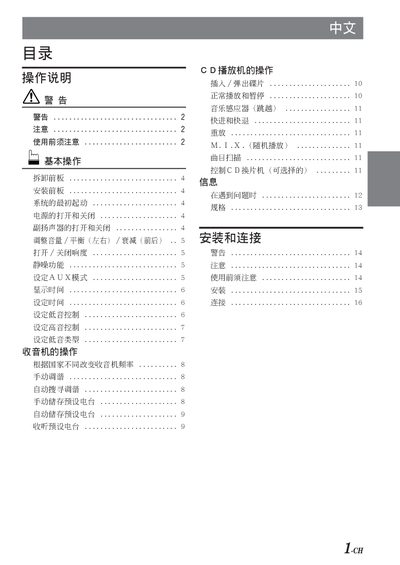
This manual covers the basic operation of the Alpine CDM-9821 CD player, including how to insert and remove discs, power on/off, and use the mute, volume, bass and treble controls. It also explains the optional radio functions, AUX mode, and how to set the clock and audio balance.
Safety warnings, installation steps, wiring diagrams, and maintenance advice are included to help install the unit in a vehicle, connect power, antenna and speaker cables, and keep the device protected from moisture, heat and vibration.
| Volume range | 0‑35 |
|---|---|
| Subwoofer level range | 0‑15 |
| Low‑frequency center options | 60 Hz, 80 Hz, 100 Hz, 200 Hz |
| High‑frequency center options | 10 kHz, 12.5 kHz, 15 kHz, 17 kHz |
Insert the disc with the labeled side up; the player will automatically eject any disc that is inserted incorrectly.
Press the reset switch located in the small hole on the rear of the removable front panel using a round‑point pencil or similar tool.
Press and hold the DISP button for more than 3 seconds to make the time flash, then rotate the encoder to adjust hours and minutes.