
This quick start guide covers measurement functions, input terminals, overload protection, keyboard indicators, display explanations, and operating steps…
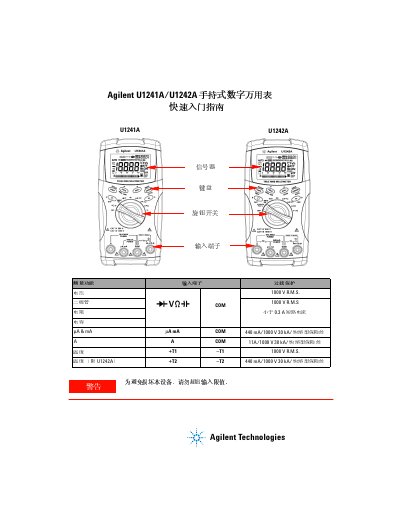
This document serves as a quick start guide for the Agilent U1241A and U1242A handheld digital multimeters. It provides an overview of the device's measurement functions, input terminals, and overload protection capabilities. The guide also details the various keyboard indicators and display explanations to assist users in interpreting readings. This manual is written in Chinese.
| DC Voltage Range | 0.1 mV to 1000 V |
|---|---|
| AC Voltage Range | 0.1 mV to 1000 V |
| Resistance Range | 0.1 W to 100 M W |
| Temperature Range | -40 °C to 1000 °C |
| Safety Rating CAT III | 1000 V |
The temperature measurement range is from -40 °C to 1000 °C.
The U1242A model supports harmonic ratio and data recording modes.
The multimeter has a safety rating of 1000 V for CAT III.