
Agilent 34970A/34972A Data Acquisition/Switch Unit series offers excellent performance at a lower cost. It can measure and convert various input signals, with multiple interface options and a graphical Web interface. It is suitable for data acquisition and switch applications.
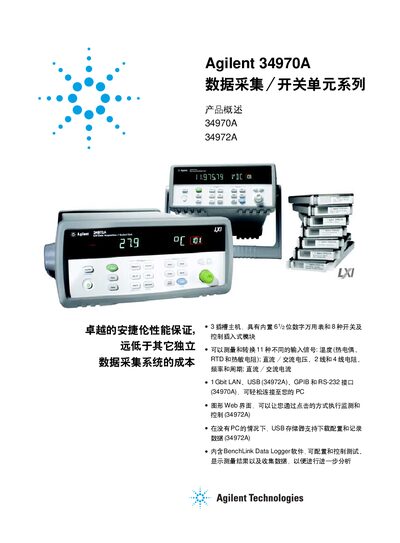
The Agilent 34970A and 34972A are modular data‑acquisition/switch units that combine a built‑in 6½‑bit digital multimeter with up to eight interchangeable switch and control modules. They support measurement of temperature, voltage, resistance, frequency, period and current, and offer LAN, USB, GPIB and RS‑232 connectivity.
This manual describes the product overview, key features, module selection, technical specifications, BenchLink Data Logger software, installation options, and ordering information. It also explains how to configure scans, use the graphical web interface (34972A), and integrate the instrument with LabVIEW, IVI‑C, and other drivers. This manual is written in Chinese.
| Resolution | 6.5‑bit (22‑bit) |
|---|---|
| Supported interfaces | LAN, USB, GPIB, RS‑232 |
The units can be connected via LAN, USB (34972A), GPIB, or RS‑232 interfaces; the 34972A includes built‑in gigabit Ethernet and USB 2.0.
Yes, the 34972A has a USB storage port that allows configuration download and data logging without a PC.