
Philips GoGear Mix MP3 Player SA1MXX04K is a portable MP3 player that supports MP3 and WMA formats, has a built-in 4GB storage capacity that can store up to 900 songs. The player also features an FM radio, equalizer and recording function.
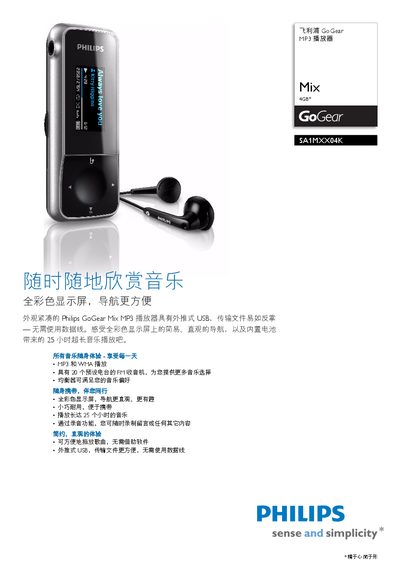
The GoGear Mix is a compact, durable MP3 player with a full‑color LCD display, USB 2.0 connectivity, FM radio, and up to 25 hours of playback on a 250 mAh rechargeable battery. It supports a range of audio formats, an 20‑preset FM tuner, and includes a 3.5 mm headphone jack.
This manual covers the device’s features, detailed technical specifications, how to transfer music via the high‑speed USB interface, battery charging and maintenance, and the included accessories such as headphones and a quick‑start guide. System requirements for PC connection and firmware update information are also provided. This manual is written in Chinese.
| Display resolution | 128 × 64 pixels |
|---|---|
| Frequency response | 80 – 18 000 Hz |
| Signal‑to‑noise ratio | > 80 dB |
| Supported audio formats | MP3, WMA, WAV |
| ID3 tag support | Yes |
| MP3 bitrate | 8 – 320 kbps (VBR supported) |
| WMA bitrate | 64 – 320 kbps |
| Headphone jack | 3.5 mm |
| USB interface | High‑speed USB 2.0 |
| Dimensions | 71 × 28 × 14 mm |
| Weight | 0.029 kg |
| FM radio tuner | Yes, 20 preset stations |
It supports MP3, WMA and WAV audio files.
Connect the player to a PC via the high‑speed USB 2.0 port and copy files using Windows XP, Vista or later.