
The P series pulse control instrument has a unique modular structure, which can easily expand a simple timing controller to an advanced pressure control instrument with analog and digital input/output functions, and can be integrated with SCADA and DCS systems.
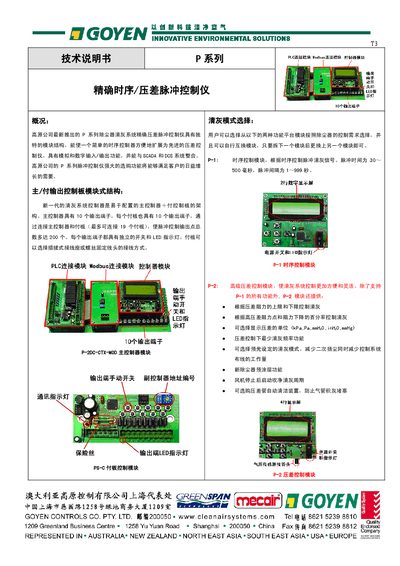
The GOYEN P series pulse control instrument provides precise timing and differential pressure pulse control for dust‑removal systems. It supports modular expansion with up to 19 sub‑boards, offering a maximum of 200 output points, and includes both sequence (P‑1) and advanced pressure‑difference (P‑2) modules.
The manual details electrical specifications, wiring, module functions, alarm handling, Modbus communication, and installation requirements. It also provides fault diagnosis procedures, parameter settings, and guidance for integrating the instrument with PLC, DCS or SCADA systems. This manual is written in Chinese.
| AC Power Input | 110 V or 240 V, 50/60 Hz ±10 % |
|---|---|
| DC Power Input | 24 V or 48 V DC, ±10 % |
| Output Voltage (Control Board) | 24 VDC 60 W (2.5 A), 120 VAC 300 W (2.5 A), 240 VAC 300 W (1.25 A) |
| Pressure Transducer Range | 0‑2.5 kPa (0‑10 inWG) |
| Pressure Transducer Accuracy | ±2.5 % |
| Maximum Pressure Rating | 45 kPa (180 inWG) |
| Maximum Connected Sub‑boards | 19 (up to 200 output points) |
Up to 19 sub‑boards can be connected, providing a total of up to 200 output points.
The factory default parameters can be reset via the ‘Reset to factory initial values’ function on the control panel.