
This document is the instruction manual for a mobile phone product. It mainly introduces the phone's key functions, home screen icons, tool functions, and setting functions.
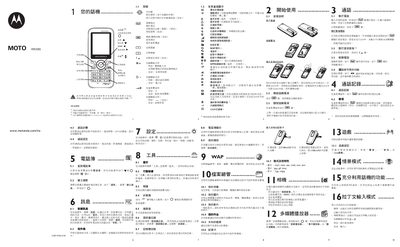
This manual covers the basic setup of the WX390, including SIM card insertion, battery handling, and initial configuration. It also explains how to use core features such as calls, messaging, Bluetooth, WAP browsing, and multimedia playback.
Safety information is provided for battery disposal, RF exposure (SAR values), and usage guidelines for users with medical conditions or while driving. The document includes troubleshooting tips and regulatory compliance details. This manual is written in Chinese.
| IMEI | 3500344073947216 |
|---|---|
| Maximum SAR (ear position) | 0.95 W/kg |
Insert the SIM card with the chip side facing down into the slot, ensuring it is fully seated; to remove, gently lift the bottom and push it out in the direction of the arrow.
Open the Tools menu and select Bluetooth to enable and use the Bluetooth function.
Listening at maximum volume for extended periods may cause hearing damage; keep the volume within a safe range and use recommended headphones.