
Symbol LS3578 scanner quick start guide, introduces the scanner's features and usage methods.
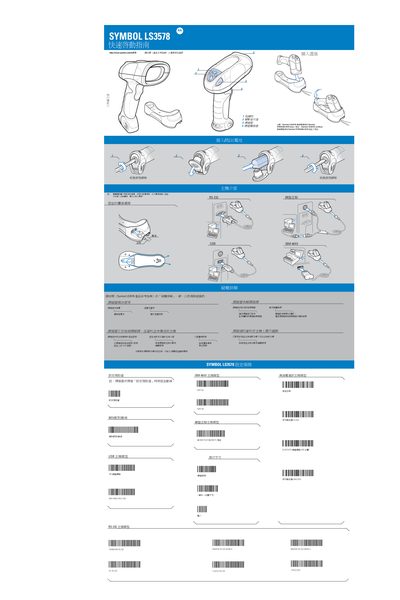
The guide explains how to connect the Symbol LS3578 wireless scanner to its base, configure host interfaces, and power the device. It includes compatibility warnings, such as the scanner not fitting STB3508/3578 or STB3408/3478 bases, and step‑by‑step wiring instructions.
It also covers troubleshooting tips, safety and regulatory information, and details about the built‑in Bluetooth module, laser class, and radio specifications. Users are instructed to check battery status, ensure the base cover is tightened, and verify barcode quality when problems arise. This manual is written in Chinese.
| Bluetooth module type | LMX545 |
|---|---|
| Maximum transmit power | 10 mW |
| Frequency range | 2.400‑2.4835 GHz |
Insert the power cable into the base first, then plug it into the scanner’s connector, and finally connect the external power source.
Verify the battery is charged, ensure the base cover is tightened, confirm the scanner is set correctly, and check that the barcode is not damaged.
Use the scanner’s pairing function, check the host parameters and cable connections, and ensure the base and scanner settings match.