
Key facts
- Manuals
- 34
- Models
- 2
- Categories
- 3
- Languages
- ZH · EN · JA
- Last added
- 2012-08-07
MOTO models by category
Featured MOTO manuals
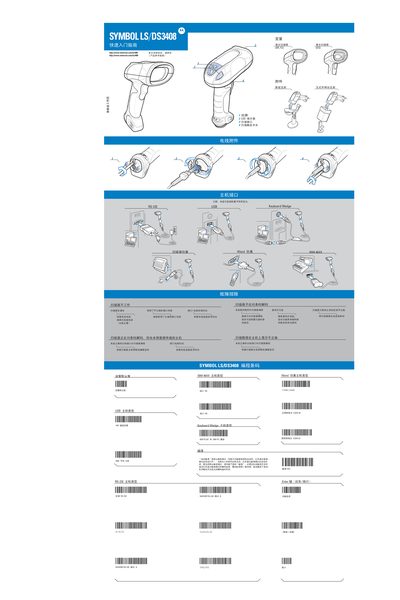
Motorola SYMBOL LS/DS3408 Laser Scanner User Guide
This guide covers the basic setup and operation of the SYMBOL LS/DS3408 laser scanner, including connection to a host computer via USB or RS‑232, LED indicator functions, and laser safety classifications. It also details the required power supply (5 V DC, minimum 850 mA) and the various host interfaces.
Safety information is provided for Class 2 laser products, along with troubleshooting steps for common issues such as non‑responsive laser, incorrect interface connections, and LED indicator warnings. The manual includes usage guidelines to minimize health risks and ensure proper handling of the device. This manual is written in Chinese.
Covers: Quick Start Guide · Host Interface Connections · LED Indicators · Laser Safety Classification · Power Requirements · Troubleshooting
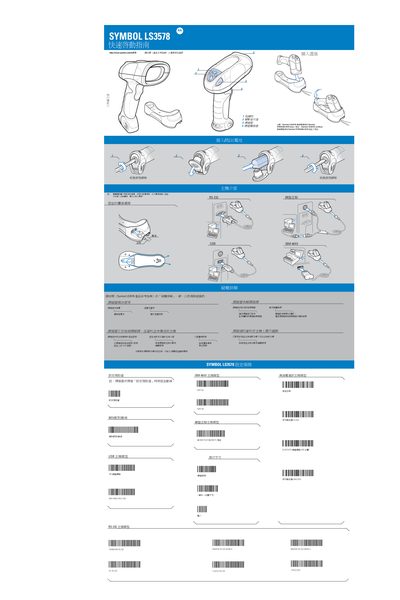
Symbol LS3578 Wireless Scanner Quick Start Guide
The guide explains how to connect the Symbol LS3578 wireless scanner to its base, configure host interfaces, and power the device. It includes compatibility warnings, such as the scanner not fitting STB3508/3578 or STB3408/3478 bases, and step‑by‑step wiring instructions.
It also covers troubleshooting tips, safety and regulatory information, and details about the built‑in Bluetooth module, laser class, and radio specifications. Users are instructed to check battery status, ensure the base cover is tightened, and verify barcode quality when problems arise. This manual is written in Chinese.
Covers: Quick Start · Host Interface · Base Connection · Barcode Settings · Troubleshooting · Regulatory Information
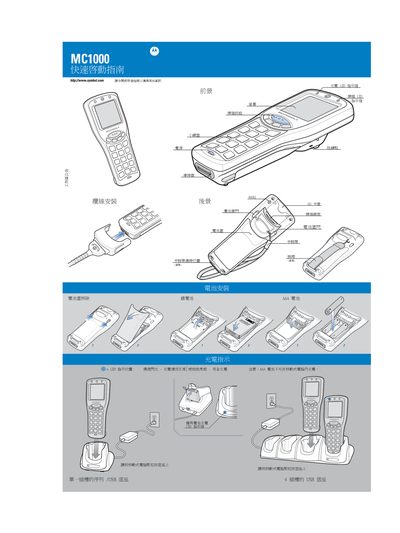
MC1000 Quick Reference Manual
This quick reference manual provides concise instructions for using the MC1000. It includes safety notes, charging guidelines, and basic operation steps.
Key sections cover battery handling, USB connection, proper scanning technique, and indicator lights. The guide is intended for fast setup and everyday use of the device. This manual is written in Chinese.
Covers: Introduction · Charging Instructions · Scanning Instructions · USB Connection · Safety Precautions
Motorola Moto Contacts Tool Quick Start Guide
The Moto Contacts Tool is a desktop application that lets you export contacts from Motorola handsets to a CSV file on your PC. It can retrieve contacts from phone memory, the SIM card, or both, and the resulting CSV can be imported into other services such as Google Contacts.
The guide walks you through system requirements, installation steps, and how to change phone connection modes for data export. It also lists the Motorola phone models supported by version 1.0 of the tool.
Covers: About Moto Contacts Tool · System Requirements · Installing Moto Contacts Tool · Using Moto Contacts Tool · CSV File Format · Importing Contacts to Android
Latest MOTO manuals
MOTO Q 9c user manual
This is the user manual for MOTOROLA TM 9c
moto DCT6200/DCT6208 High Definition Cable Receiver User Guide
This document is the user guide for the DCT6200/DCT6208 high-definition cable receiver, which introduces the features and usage methods of the product, including power on, power off, channel change, channel search, program recording, etc.
MOTO W376g/W377g User Guide
MOTO W376g/W377g is an affordable wireless phone with a sleek design. It offers customization options, multimedia and text messaging capabilities, office tools, fun features, and web browsing.
MOTO i296 User Guide
The document is a FCC certification statement for the i296 product.
MOTO Motorola Bluetooth Active Headphones MANUAL
Motorola S9 Headphones are wireless Bluetooth stereo headphones with a lightweight design. They can connect with a Bluetooth stereo-enabled music phone or iPod to provide a wireless music experience.
MOTO W418G Getting Started Guide
Congratulations on your MOTO™ W418G phone! It is a stylish flip phone loaded with features like photos, music, and web access. This guide provides an overview of the main features and shows how easy the phone is to use.
MOTO ME511MOTOROLAuser manual
This document introduces the features and characteristics of the Motorola mobile phone MOTO ME511, including its unique square appearance, 3.1 million pixel camera function, 180-degree flip cover and full keyboard design, and cool operation interface.
MOTO XT701 touch screen mobile telephone user manual
This document introduces the features and characteristics of the Motorola XT701 mobile phone, including its ultra-thin design, 5-megapixel camera, large screen, and cool operating interface.
Motorola SYMBOL LS/DS3408 Laser Scanner User Guide
User Manual 2 pages · 1.8 MB · ZHThe Motorola SYMBOL LS/DS3408 user guide provides setup, operation, safety and troubleshooting instructions for the laser scanner.
Symbol LS3578 Wireless Scanner Quick Start Guide
Quick Start Guide 2 pages · 2.2 MB · ZHThis quick start guide provides setup, pairing, and troubleshooting instructions for the Symbol LS3578 wireless barcode scanner.
MC1000 Quick Reference Manual
Quick Start Guide 2 pages · 2.7 MB · ZHQuick reference guide for the MC1000 device covering basic operation, charging, and scanning instructions.
Motorola Moto Contacts Tool Quick Start Guide
Quick Start Guide 20 pages · 606 KB · ENQuick Start Guide for Motorola's Moto Contacts Tool, a desktop app for exporting phone contacts to CSV files.
Motorola W7 Active Edition Phone User Manual
User Manual 80 pages · 8.4 MB · ZHThe Motorola W7 Active Edition user manual explains basic operation, gestures, contacts, messaging, media, connectivity, safety and legal information.
MOTO W396 QuickStart Guide
Motorola S605 ROKR Quick Start Guide
Quick Start Guide 76 pages · 2 MB · ENQuick Start Guide for the Motorola S605 ROKR Bluetooth stereo headset, covering charging, pairing, and basic operation.
- 1
- 2
Which document do I need?
User Manual
Day-to-day operation, settings and troubleshooting. Start here if the product is already set up.
Quick Start Guide
The shortest path to a working setup, usually only a few pages.
Questions answered in MOTO manuals
How do I connect the SYMBOL LS/DS3408 to a computer?
Connect the device using the USB host interface or the RS‑232 host interface as described in the manual.
What laser safety class does the device belong to?
The device is classified as a Class 2 laser product.
How do I connect the scanner to its base and power it on?
Insert the power cable into the base first, then plug it into the scanner’s connector, and finally connect the external power source.
What should I check if the scanner does not power up?
Verify the battery is charged, ensure the base cover is tightened, confirm the scanner is set correctly, and check that the barcode is not damaged.
Can I charge the MC1000 with AAA batteries?
No, AAA batteries cannot be charged inside the device.
What should I avoid when scanning with the MC1000?
Do not cover the scanner with your fingers while scanning.