
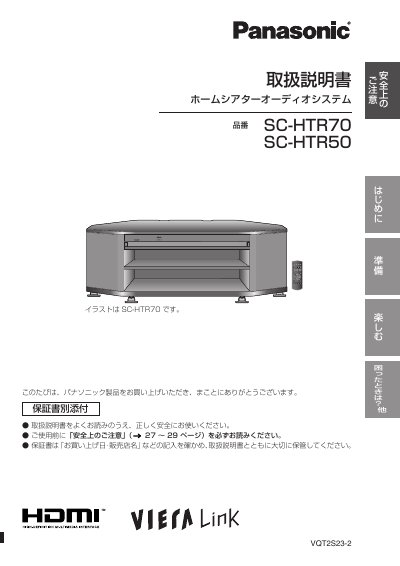
Panasonic SC-HTR70/SC-HTR50 Home Theater Audio System Instruction Manual


Panasonic SC-HTR70/SC-HTR50 Home Theater Audio System Instruction Manual - cover page
Brand
Panasonic
Category
Home Speakers
Document type
User Manual
Language
Japanese
Pages
32
File format
PDF
Published
05 October, 2011
Updated
29 September, 2023
MD5 checksum
CA6019D807D8393C4BD0C1B1038D9EF4

About this manual

This is the instruction manual for the Panasonic SC-HTR70 and SC-HTR50 home theater audio systems. It describes safety precautions, the names of parts, rack installation and mounting, and how to connect the main unit and other devices.

The manual also explains basic operation, speaker sound adjustment, sound modes such as Dolby Virtual Speaker and Dolby Pro Logic I, VIERA Link (HDMI) use, and how to reset the system. Specifications and troubleshooting information are included at the end. This manual is written in Japanese.

What's inside

  • Safety precautions
  • Names of parts
  • Rack installation and mounting
  • Connecting devices with HDMI terminals
  • Checking and adjusting speaker sound
  • Sound modes and sound effects
  • Using VIERA Link (HDMI)
  • Basic operations
  • Specifications
  • Troubleshooting and after-sales service

Specifications

Remote control operating distanceWithin 7 m in front
Maximum shelf load12 kg

Frequently asked questions

How do I reset the system to its original settings?

Use the reset function to return the system to its purchase-time settings.

Can I prevent the remote control from operating other Panasonic products?

You can set the system so other company products do not operate with this system's remote control.

What is the maximum weight allowed on the shelf?

Do not place equipment exceeding 12 kg on the upper shelf or bottom board.

Download PDF

More Panasonic Manuals


View all Panasonic manuals →