
Panasonic CN-DV255RD/CN-DV255D/CN-DV155RD/CN-DV155D User Manual


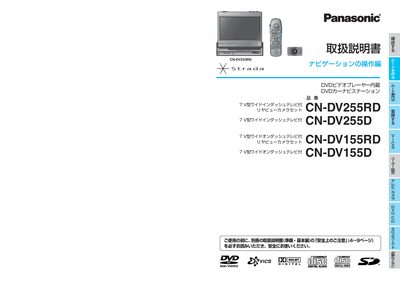
Panasonic CN-DV255RD/CN-DV255D/CN-DV155RD/CN-DV155D User Manual - cover page
Brand
Panasonic
Category
Vehicle Accessories
Document type
User Manual
Language
Japanese
Pages
13
File format
PDF
File size
4.4 MB
Published
05 October, 2011
Updated
29 September, 2023
MD5 checksum
CED70383AF2D9BAF326DF63EA25BD2E2

About this manual

This manual provides detailed instructions for the Panasonic CN-DV255 series navigation units, which combine a DVD video player with a car navigation system. It explains how to operate the navigation functions, create and edit routes, and use additional features such as VICS traffic information and SD‑memory card playback.

Installation notes, touch‑panel calibration, and system settings are also covered, helping installers and users configure vehicle signal connections, GPS antenna placement, and display adjustments for optimal performance. This manual is written in Japanese.

What's inside

  • はじめに (Introduction)
  • ルートを作る (Creating Routes)
  • VICS情報 (VICS Traffic Information)
  • 設定 (System Settings)
  • 取付確認 (Installation Check)
  • タッチパネル調整 (Touch‑Panel Adjustment)
  • メニュー画面操作 (Menu Navigation)
  • ハイウェイマップ (Highway Map)
  • SDメモリーカード使用 (Using SD Memory Card)

Specifications

VICS traffic informationFM multiplex reception

Frequently asked questions

What should I do if the GPS antenna shows no signal?

Check that the antenna is properly connected and positioned in a location with a clear view of the sky.

How is VICS information displayed?

VICS data received via FM multiplex is shown on the map screen and can be toggled on or off from the menu.

Download PDF (4.4 MB)

More Panasonic Manuals


View all Panasonic manuals →