
GIGABYTE GP-S7500 Black Kevlar series three-piece audio system provides true-to-life stereo performance for music, PC games, and video, plus high-quality sound from a variety of desktop audio sources, making it the superior choice for home or office workplaces.
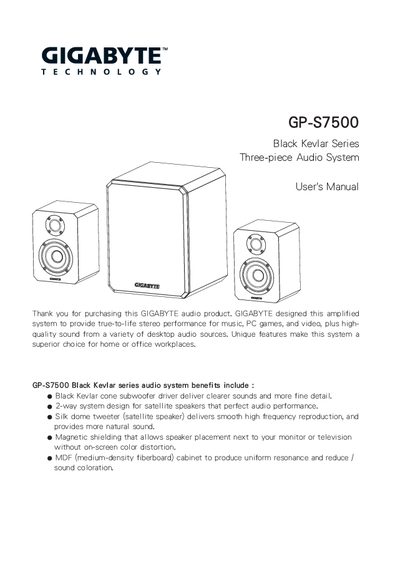
The GP‑S7500 is a three‑piece hi‑fi audio system that includes a subwoofer and two satellite speakers. It is designed for desktop use and features magnetic shielding, a Kevlar cone driver, and a silk‑dome tweeter for clear, balanced sound.
This manual explains how to connect the speakers and power cord, operate the volume, bass and treble controls, and lists the system specifications and safety guidelines. It also includes a brief troubleshooting FAQ.
| Subwoofer RMS Power | 24 W @ 4 Ω |
|---|---|
| Satellite RMS Power | 12 W x 2 @ 4 Ω |
| Subwoofer Frequency Response | 20 Hz ~ 120 Hz |
| Satellite Frequency Response | 120 Hz ~ 20 kHz |
| Subwoofer Dimensions | 215 mm W × 275 mm H × 200 mm D |
| Satellite Dimensions | 120 mm W × 172 mm H × 110 mm D |
| Drivers | 1 tweeter × 2, 3.5" full‑range × 2, 6.5" woofer × 1 |
Plug the power cord into an AC outlet and turn the power switch on the back of the woofer module to ON.