
Ruckus ZoneDirector 9.8 or Above (ZD Managed) Guest WiFi RADIUS Configuration Guide

This guide is for the Ruckus ZoneDirector release 9.8 or above. If you are using release 9.6 or 9.7 please select Ruckus AP (ZD v9.7 or below) and use that guide instead.
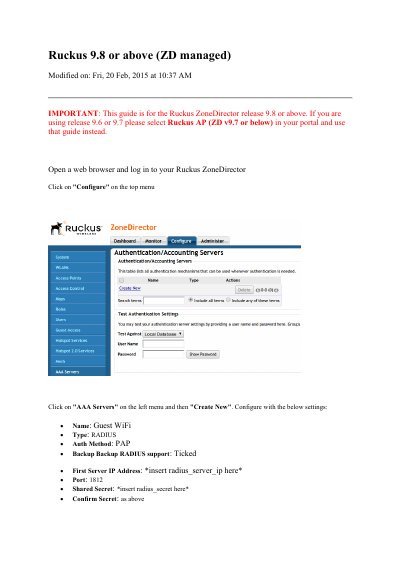

Ruckus ZoneDirector 9.8 or Above (ZD Managed) Guest WiFi RADIUS Configuration Guide - cover page
Brand
RUCKUS
Category
Other network devices
Document type
Other
Language
English
Pages
6
File format
PDF
File size
388 KB
Published
29 November, 2023
Updated
29 November, 2023
MD5 checksum
E9F47DA9DC84D32017FD36940F588CE3

About this manual

This guide explains how to configure a Ruckus ZoneDirector running release 9.8 or above for a guest Wi-Fi network. It covers logging in to the ZoneDirector, creating RADIUS authentication and accounting servers, and saving the AAA server settings.

It then describes creating a hotspot service and guest WLAN, adding walled garden domains for social network logins, and using SSH commands to send the AP MAC in the RADIUS request. It notes that release 9.6 or 9.7 uses a different guide.

What's inside

  • Log in to ZoneDirector
  • Configure AAA Servers
  • Create RADIUS authentication server
  • Create RADIUS accounting server
  • Configure Hotspot Services
  • Add walled garden domains
  • Create guest WLAN
  • SSH called-station-id command

Specifications

Supported ZoneDirector release9.8 or above

Frequently asked questions

Which ZoneDirector releases does this guide cover?

This guide is for Ruckus ZoneDirector release 9.8 or above.

What should you do for release 9.6 or 9.7?

Select Ruckus AP (ZD v9.7 or below) in your portal and use that guide instead.

What port does the RADIUS authentication server use?

The authentication server uses port 1812.

What WLAN type is used for the guest network?

The WLAN type is Hotspot Service (WISPr).

Download PDF (388 KB)

More RUCKUS Manuals


View all RUCKUS manuals →