
Dell Vostro 3650/3653 Computer Quick Start Guide

Dell Vostro 3650/3653 Quick Start Guide
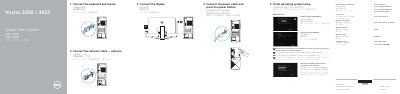

Dell Vostro 3650/3653 Computer Quick Start Guide - cover page
Brand
DELL
Category
Desktops
Document type
Quick Start Guide
Language
MUL
Pages
2
File format
PDF
File size
1.3 MB
Published
26 November, 2023
Updated
26 November, 2023
MD5 checksum
D83E8B1F9BC7ED07CAA31BEEFD88A411

About this manual

This guide shows how to connect the keyboard, mouse, network cable, display, and power cable for a Dell Vostro 3650 or 3653 computer, then finish operating system setup for Windows 8.1, Windows 7, or Ubuntu.

It also identifies the computer's external features, lists Dell applications and utilities, and provides links for product support, manuals, registration, backup and recovery, and regulatory information.

What's inside

  • Connect the keyboard and mouse
  • Connect the network cable
  • Connect the display
  • Connect the power cable and press the power button
  • Finish operating system setup
  • Features
  • Locate Dell apps in Windows 8.1
  • Register My Device
  • Dell Backup and Recovery
  • Dell Data Protection | Protected Workspace

Specifications

Computer modelVostro 3650 / 3653
Regulatory modelD19M
Regulatory typeD19M002
Memory-card readerOnly for Vostro 3650

Frequently asked questions

What should I do when connecting to a secured wireless network during setup?

Enter the password for the wireless network access when prompted.

Which Vostro model has a memory-card reader?

Only the Vostro 3650 has a memory-card reader.

Where can I find Dell product support and manuals?

Dell provides product support at Dell.com/support and manuals at Dell.com/support/manuals.

Download PDF (1.3 MB)

More DELL Manuals


View all DELL manuals →