
Dell Alienware Alpha Quick Start Guide

The document is a quick start guide for Dell Alienware Alpha gaming console, which introduces how to connect display, power cable, Xbox receiver and network cable, and how to insert battery, turn on Xbox controller, etc.
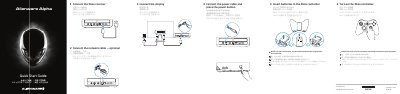

Dell Alienware Alpha Quick Start Guide - cover page
Brand
DELL
Document type
Quick Start Guide
Language
English
Pages
2
File format
PDF
File size
429 KB
Published
26 November, 2023
Updated
26 November, 2023
MD5 checksum
3952A25392FDA80A9ADB47C3C198F320

About this manual

This guide walks you through connecting the display, power, and network cables. It also covers pairing the Xbox controller with the receiver and setting up the system. Additional support and manuals are available at dell.com/support/manuals.

What's inside

  • Connect Display
  • Connect Power Cable
  • Connect Network Cable
  • Pair Xbox Controller
  • Set Up Controller
  • Create Alienware Alpha Account
  • Connect to Wireless Network
  • Download Updates

Frequently asked questions

How do I pair the Xbox controller with the receiver?

Press the button on the receiver till the light starts blinking, then press the pairing button on the controller.

How do you pair the Xbox controller and receiver?

Press the button on the receiver until the light blinks, then press the pairing button on the controller.

What should you do if connecting to a secured wireless network?

Enter the password for the wireless network access when prompted.

Download PDF (429 KB)

More DELL Manuals


View all DELL manuals →