
Dell OptiPlex 3046 MT Mini Tower Quick Start Guide

OptiPlex 3046 Mini Tower Quick Start Guide
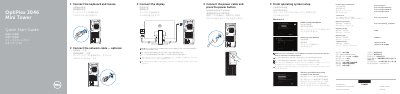

Dell OptiPlex 3046 MT Mini Tower Quick Start Guide - cover page
Brand
DELL
Category
Desktops
Document type
Quick Start Guide
Language
English
Pages
2
File format
PDF
File size
1.5 MB
Published
26 November, 2023
Updated
26 November, 2023
MD5 checksum
A75993D6525BC6ECEE66C311AD875CF5

About this manual

This Quick Start Guide covers setup for the Dell OptiPlex 3046 MT Mini Tower desktop computer. It explains how to connect the keyboard, mouse, display, network cable, and power cable, then finish operating system setup and enable security and updates.

The guide also lists features such as USB 2.0 and USB 3.0 connectors, HDMI, DisplayPort, VGA, and the power-supply diagnostic button. Regulatory information identifies the model as OptiPlex 3046 MT (D18M).

What's inside

  • Finish operating system setup
  • Enable security and updates
  • Connect to your network
  • Connect the keyboard and mouse
  • Connect the display
  • Features
  • Set up password for Windows
  • Register My Device
  • Dell Backup and Recovery
  • Dell SupportAssist

Specifications

USB 3.0 connectorsUSB 3.0 connectors
HDMI connectorHDMI connector
VGA connectorVGA connector (optional)

Frequently asked questions

How do I connect the display if the computer has a discrete graphics card?

Connect the display to the discrete graphics card.

What is required when upgrading from Windows 7 32-bit to Windows 10?

A manual installation of the system drivers is required.

Where can I find product support and manuals?

Visit Dell.com/support and Dell.com/support/manuals.

What is the computer model?

The computer model is OptiPlex 3046 MT.

Download PDF (1.5 MB)

More DELL Manuals


View all DELL manuals →