
The Dell Precision 5520 Quick Start Guide provides information on how to use the Dell Precision 5520 laptop.
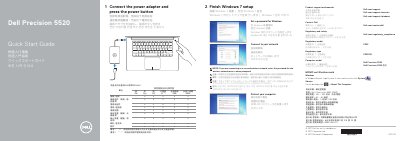
This two-page guide for the Dell Precision 5520 describes initial setup: connect the power adapter, press the power button, finish Windows 7 setup, set a Windows password, connect to a network, and protect the computer. It also gives Dell support and contact links plus regulatory and safety information.
The guide lists the computer model as Dell Precision 5520 and gives regulatory model P56F and regulatory type P56F001. A numbered features list covers the power button, Kensington security slot, battery status button and lights, USB 3.0 ports with PowerShare, memory card reader, touchpad, headset port, Thunderbolt 3 port, HDMI port, power connector, camera status light, camera, speakers, microphones, power status light, and service tag label.
| Computer model | Dell Precision 5520 |
|---|---|
| Regulatory model | P56F |
| Regulatory type | P56F001 |
| Rated voltage | 100 - 240 V AC |
| Rated frequency | 50 - 60 Hz |
| Product name | Notebook computer |
Connect the power adapter and press the power button.
Finish Windows 7 setup.
At Dell.com/support and Dell.com/support/manuals.
Dell Precision 5520.