
Dell Inspiron 14 Laptop Quick Start Guide
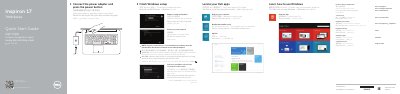
This two-page Dell quick start guide covers the first steps for setting up the Inspiron 17 7000 Series laptop, computer model Inspiron 7746. It walks through connecting the power adapter and pressing the power button, finishing Windows setup, locating your Dell apps, registering the computer, connecting to a network and signing in to a Microsoft account. It also points to dell.com/support and dell.com/support/manuals for product support.
The second page shows a labeled view of the computer's features, including the camera, microphones, power button, power-adapter port, HDMI port, network port, USB 3.0 ports (one with PowerShare), USB 2.0 ports, media-card reader, headset port, optical drive and security-cable slot. A shortcut-key section lists the function keys for volume, playback, charms, brightness, wireless and keyboard backlight. The guide text is printed in several languages, including English, Chinese, Indonesian, Vietnamese and Arabic.
| Computer model | Inspiron 7746 |
|---|---|
| USB ports | USB 3.0 port with PowerShare, USB 3.0 port, two USB 2.0 ports |
| Video port | HDMI port |
| Card reader | Media-card reader |
| Optical drive | Included |
| Security | Security-cable slot |
Connect the power adapter and press the power button, then finish the Windows setup.
Enter the password for the wireless network access when prompted.
Dell lists product support and manuals at dell.com/support and dell.com/support/manuals.
The guide lists the computer model as Inspiron 7746, in the Inspiron 17 7000 Series.