
Dell Latitude 12 5000 Series Quick Start Guide
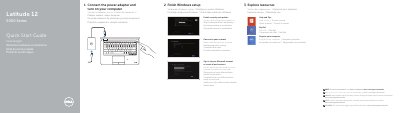
This is Dell's multilingual Quick Start Guide for the Latitude 12 5000 Series computer, identified in the document as computer model Latitude 12-E5250/5250 (regulatory model P25S, regulatory type P25S001). It walks through first-time setup: connecting the power adapter and turning on the computer, finishing Windows setup by enabling security and updates, connecting to a network and signing in with a Microsoft account or creating a local account, and exploring resources such as Help and Tips, My Dell and product registration.
The second page is a labeled features diagram of the computer, numbering 25 parts and ports including the network connector, USB 3.0 connectors, HDMI and Mini-DisplayPort connectors, microphones, camera, memory-card reader, optional smart-card and fingerprint readers, status lights, speakers, touchpad, security-cable slot, optional dock connector and the service-tag label. The document also points to dell.com/support/manuals for the Owner's Manual and to dell.com for support, contact and regulatory information.
| Computer model | Latitude 12-E5250/5250 |
|---|---|
| USB ports | USB 3.0 connectors, including a USB 3.0 connector with PowerShare |
| Video connectors | HDMI connector and Mini-DisplayPort connector |
| Card readers | Memory-card reader; contactless smart-card reader and smart-card reader optional |
| Security features | Security-cable slot; fingerprint reader optional |
| Optional connectors | Dock connector (optional) |
Connect the power adapter and turn on your computer, then finish Windows setup: enable security and updates, connect to your network, and sign in to your Microsoft account or create a local account.
The guide refers you to the Owner's Manual at dell.com/support/manuals.
The service-tag label is item 25 in the labeled features diagram of the computer.