
The Dell EMC DSS 8440 Getting Started Guide describes the features and characteristics of the product.
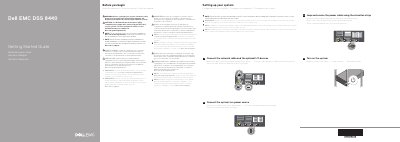
This Getting Started Guide for the Dell EMC DSS 8440 system provides safety and setup notices in English, French, Portuguese and Spanish. It instructs users to follow the Safety, Environmental, and Regulatory Information document shipped with the system and to use Extended Power Performance (EPP) compliant power supply units marked with the EPP label. The documentation set and latest updates are available at Dell.com/poweredgemanuals.
The setup steps cover connecting the network cable and optional I/O devices, connecting the system to a power source, looping and securing the power cable with the retention strap, and turning on the system. The guide also lists technical specifications, including a 2400 W Platinum AC power supply at 50/60 Hz, 16 A, a 3 V CR2032 lithium coin cell system battery, and a maximum ambient temperature of 35°C/95°F for continuous operation. The regulatory model is B21S Series/B21S001.
| Power supply | 2400 W Platinum AC, 50/60 Hz, 16 A |
|---|---|
| System battery | 3 V CR2032 lithium coin cell |
| Maximum ambient temperature for continuous operation | 35°C/95°F |
| Regulatory model/type | B21S Series/B21S001 |
Follow the safety instructions in the Safety, Environmental, and Regulatory Information document shipped with the system.
Use Extended Power Performance (EPP) compliant power supply units, indicated by the EPP label.
The maximum ambient temperature for continuous operation is 35°C/95°F.
The documentation set for the system is available at Dell.com/poweredgemanuals.