
Dell Vostro 14 5000 Series Notebook Quick Start Guide

Dell Vostro 14 5000 Series Notebook Quick Start Guide
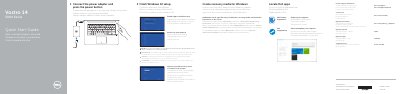

Dell Vostro 14 5000 Series Notebook Quick Start Guide - cover page
Brand
DELL
Document type
Quick Start Guide
Language
English
Pages
2
File format
PDF
File size
382 KB
Published
25 November, 2023
Updated
25 November, 2023
MD5 checksum
B48C8178446FC053B966A22EB1A2FEA9

About this manual

This guide helps you set up your Dell Vostro 14-5459 notebook quickly. It covers connecting the power adapter, creating recovery media for Windows, and connecting to a network. The guide also lists the laptop’s features, including ports, camera, microphone, fingerprint reader, and touchpad. For more details, refer to the Owner’s Manual at dell.com/support/manuals.

What's inside

  • Connect the power adapter and press the power button
  • Create recovery media for Windows
  • Locate Dell apps
  • Register your computer
  • Check and update your computer
  • Connect to your network
  • Features
  • Shortcut keys

Frequently asked questions

How do I create recovery media for Windows?

In Windows search, type Recovery, click Create a recovery media, and follow the instructions on the screen.

How do I connect to a wireless network?

Enter the password for the wireless network access when prompted.

Download PDF (382 KB)

More DELL Manuals


View all DELL manuals →