
Dell Precision Tower 3420 Quick Start Guide

The Dell Precision Tower 3420 Quick Start Guide provides information on how to set up and use the Dell Precision Tower 3420 desktop computer.
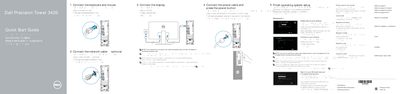

Dell Precision Tower 3420 Quick Start Guide - cover page
Brand
DELL
Category
Desktops
Document type
Quick Start Guide
Language
English
Pages
10
File format
PDF
File size
1.1 MB
Published
25 November, 2023
Updated
25 November, 2023
MD5 checksum
9E8F928A7AE40B62456FB2770163E64C

About this manual

This quick start guide covers initial setup of the Dell Precision Tower 3420. It shows how to connect the keyboard, mouse, network cable, display, and power cable, then finish operating system setup.

It also identifies front and rear features, lists support and contact information, and provides regulatory model and type details.

What's inside

  • Connect the keyboard and mouse
  • Connect the network cable
  • Connect the display
  • Connect the power cable and press the power button
  • Finish operating system setup
  • Locate Dell apps in Windows 8.1
  • Features
  • Product support and manuals
  • Contact Dell
  • Regulatory and safety

Specifications

Regulatory typeD11S001
Computer modelDell Precision Tower 3420

Frequently asked questions

What should I do if the computer has a discrete graphics card?

Connect the display to the discrete graphics card.

What should I enter when connecting to a secured wireless network?

Enter the password for wireless network access when prompted.

What is needed to upgrade from Windows 7 32-bit to Windows 10?

A manual installation of the system drivers is required.

Download PDF (1.1 MB)

More DELL Manuals


View all DELL manuals →