
Latitude 7212 Rugged Extreme Tablet Quick Start Guide
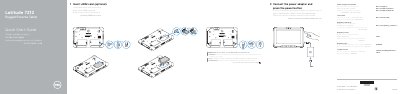
This Dell quick start guide for the Latitude 7212 Rugged Extreme Tablet shows how to insert an optional uSIM card, connect the power adapter, and press the power button. It also lists product support, contact, and regulatory and safety resources.
The guide identifies the tablet's features and ports, including cameras, card readers, USB and DisplayPort connections, programmable buttons, docking contacts, QuadCool vents, and the battery. It includes notes on tablet orientation and on keeping QuadCool vents clean and unobstructed.
| Computer model | Latitude 7212 Rugged Extreme Tablet |
|---|---|
| uSIM card access | Remove battery to access the uSIM card slot |
| Screen-side minimum distance from user body | 15 mm (0.59 inches) or greater |
The guide shows inserting an optional uSIM card and notes that it must be correctly aligned and inserted all the way.
Connect the power adapter and press the power button.
Dell directs users to Dell.com/support for product support and Dell.com/support/manuals for manuals.
Keep the screen side at least 15 mm (0.59 inches) away from your body; the other five sides can be used in close contact.