
Dell Vostro 15 7570 Laptop Quick Start Guide
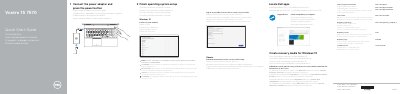
The Dell Vostro 15 7570 Quick Start Guide explains how to connect the power adapter and press the power button to start the computer. It also lists product support and manuals at Dell.com/support, Dell.com/support/manuals, and Dell.com/support/windows, along with contact and regulatory compliance information.
The guide describes locating Dell apps, using SupportAssist to check and update the computer, and creating recovery media for Windows 10. It covers finishing operating system setup, connecting to a network, signing in to a Microsoft account, and identifies features such as the camera, ports, touchpad, and shortcut keys.
| Video ports | VGA port, HDMI port |
|---|---|
| USB ports | USB Type-C port with Thunderbolt3, USB 3.1 Gen 1 port |
| Network connector | Network connector |
Connect the power adapter and press the power button.
Visit Dell.com/support, Dell.com/support/manuals, and Dell.com/support/windows.
In Windows search, type Recovery, click Create a recovery media, and follow the instructions on the screen.
Download the Dell Power Manager (DPM 3.0) from Dell.com/support.