
OptiPlex 3050 Small Form Factor Quick Start Guide
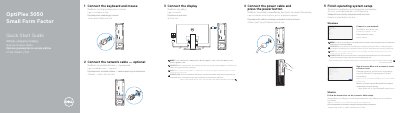
This two-page Dell quick start guide for the OptiPlex 3050 Small Form Factor walks through the first setup steps in five steps: connect the keyboard and mouse, connect the network cable (optional), connect the display, connect the power cable and press the power button, and finish operating system setup. It notes that if the computer was ordered with a discrete graphics card, the display should be connected to that card, and that Windows and Ubuntu setup are both covered, including connecting to a network, signing in with a Microsoft account or creating a local account, and entering a wireless password when prompted.
The second page points to Dell apps such as SupportAssist for checking and updating the computer, and labels the system features numbered 1 to 19, including the optical drive (optional), power button, line-out, HDMI, DisplayPort, memory card reader, headset port, USB 2.0 and USB 3.0 ports, expansion card slots, power connector port, VGA port (optional), network port and Kensington security cable slot. Support links, contact information, regulatory and safety pages, and the regulatory model D11S with type D11S002 are also listed.
| Computer model | OptiPlex 3050 SFF |
|---|---|
| Regulatory model | D11S |
| Regulatory type | D11S002 |
| USB 2.0 ports with Smart Power On | USB 2.0 ports (supports Smart Power On) |
| Optical drive | Optional |
| Memory card reader | Optional |
| Security | Kensington security cable slot |
| Power control | Power button and power light |
Connect the display to the discrete graphics card instead of the onboard connector.
Enter the password for the wireless network access when prompted.
Dell lists Dell.com/support for support and Dell.com/support/manuals for manuals.
SupportAssist is listed for checking and updating the computer.