
This document describes the setup and operation instructions for a Dell computer.
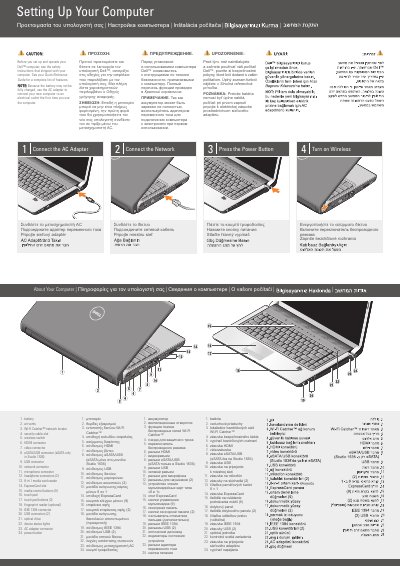
This two-page Dell setup guide gives initial setup steps for a Dell computer, with instructions repeated in English, Greek, Russian, and Slovak. It shows connecting the AC adapter, connecting the network, pressing the power button, and turning on wireless.
The guide also labels the computer's features and ports, including the battery, vents, Wi-Fi Catcher network locator, security cable slot, wireless switch, HDMI connector, video connector, eSATA/USB connector, USB connectors, network connector, microphone connector, headphone connectors, 8-in-1 media card reader, ExpressCard slot, media control buttons, touch pad, fingerprint reader, IEEE 1394 connector, optical drive, status lights, AC adapter connector, and power button. A wireless network diagram and support contact information appear on the second page.
| Media card reader | 8-in-1 |
|---|---|
| Headphone connectors | 2 |
| USB connectors | 2 |
| Media control buttons | 9 |
| Touch pad buttons | 2 |
| Fingerprint reader | Optional |
| eSATA/USB connector | eSATA only in Studio 1536 |
See the safety instructions that shipped with the computer.
The battery may not be fully charged.
See the Quick Reference Guide, or go to support.dell.com if you do not have a printed copy.
The eSATA connection is available only on the Studio 1536.