
OptiPlex 7050 Small Form Factor Quick Start Guide
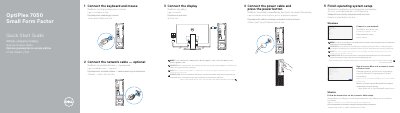
This guide walks you through connecting peripherals, powering on, and completing OS setup. It includes instructions for connecting displays, networks, and peripherals in multiple languages. Features listed include ports, expansion slots, and diagnostic lights. The guide also directs users to Dell support for further assistance.
| Computer model | OptiPlex 7050 SFF |
|---|---|
| Regulatory model | D11S |
| Regulatory type | D11S002 |
Connect the display to the discrete graphics card if you ordered one, or to the appropriate port on the motherboard.
Ports include USB 2.0/3.0, HDMI, DisplayPort, VGA (optional), PS/2, serial, and network ports.
Sign in to your Microsoft account or create a local account, then follow on-screen instructions to finish setup.