
Dell Vostro 15 7580 Laptop Quick Start Guide

Dell Vostro 15 7580 Laptop Quick Start Guide
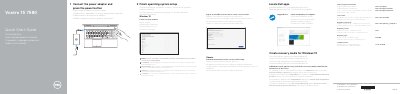

Dell Vostro 15 7580 Laptop Quick Start Guide - cover page
Brand
DELL
Category
Laptops
Document type
Quick Start Guide
Language
English
Pages
2
File format
PDF
File size
272 KB
Published
25 November, 2023
Updated
25 November, 2023
MD5 checksum
1CE279A7EA414800C2B7CC0230F61F1B

About this manual

This guide helps you quickly set up your Dell Vostro 15 7580 laptop. It includes instructions for connecting power, finishing OS setup, connecting to a network, signing in to your Microsoft account, and creating recovery media. It also lists the laptop’s features and shortcut keys for audio, volume, brightness, and wireless control.

The guide is available in multiple languages and directs users to the full Owner’s Manual for more detailed information. It also notes that Dell Power Manager (DPM 3.0) must be downloaded before using a Dell docking station.

What's inside

  • Connect the power adapter and press the power button
  • Finish operating system setup
  • Connect to your network
  • Sign in to your Microsoft account or create a local account
  • Locate Dell apps
  • Create recovery media for Windows 10
  • Features
  • Shortcut keys

Frequently asked questions

How do I connect to a secured wireless network?

Enter the password for the wireless network access when prompted.

What should I do before connecting a Dell docking station?

Download the Dell Power Manager (DPM 3.0) from Dell.com/support before connecting a Dell docking station.

Download PDF (272 KB)

More DELL Manuals


View all DELL manuals →