
The Dell EMC PowerEdge T140 Getting Started Guide describes the features and characteristics of the product.
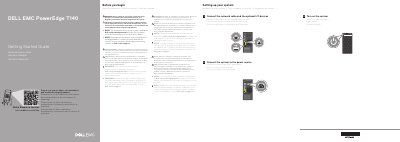
This Dell EMC PowerEdge T140 Getting Started Guide provides a Quick Resource Locator and directs users to Dell.com/QRL/Server/PET140 for how-to videos, documentation, and troubleshooting information. It also points to Dell.com/poweredgemanuals for the documentation set and the Installation and Service Manual.
The guide lists setup steps under Before you begin and Setting up your system, including connecting the network cable and optional I/O devices, connecting the system to a power source, and turning on the system. It also includes safety notices, the Dell End User License Agreement, regulatory model information, and required technical specifications.
| Power supply input voltage | 100–240 V |
|---|---|
| Power supply wattage | 365 W Gold AC |
| Power supply frequency and current | 50/60 Hz, 5 A |
| System battery | 3 V CR2032 lithium coin cell |
| Maximum ambient temperature for continuous operation | 35°C/95°F |
Use the Quick Resource Locator at Dell.com/QRL/Server/PET140.
Follow the safety instructions included in the Safety, Environmental, and Regulatory Information document shipped with the system.
Use Extended Power Performance (EPP) compliant power supply units (PSUs), indicated by the EPP label.
The maximum ambient temperature for continuous operation is 35°C/95°F.